
DataForgeStatistics you can defend
Thirty-two analyses, from basic statistics and Pareto to ANOVA, regression, capability and control charts. Twenty-eight of the thirty-two are computed by a deterministic engine; the model only writes the explanation.
The shape of what DataForge hands back, drawn live.
In the product
What DataForge looks like when you open it
This is the screen itself, captured from the running product on a demo company. Nothing in it was drawn for the website.
Opens at /dataforge once you are signed in.
- A chart
- The numbers behind it
- A written interpretation
- A saved deliverable

Works at the track stage
Something small in, a result you keep
What it takes in
- Pasted values
- Excel or CSV
- Screenshot of a table
- Project measurements
What you get back
- A chart
- The numbers behind it
- A written interpretation
- A saved deliverable
More of the screen
DataForge, a step further in
- sigmaforge.ai/dataforge
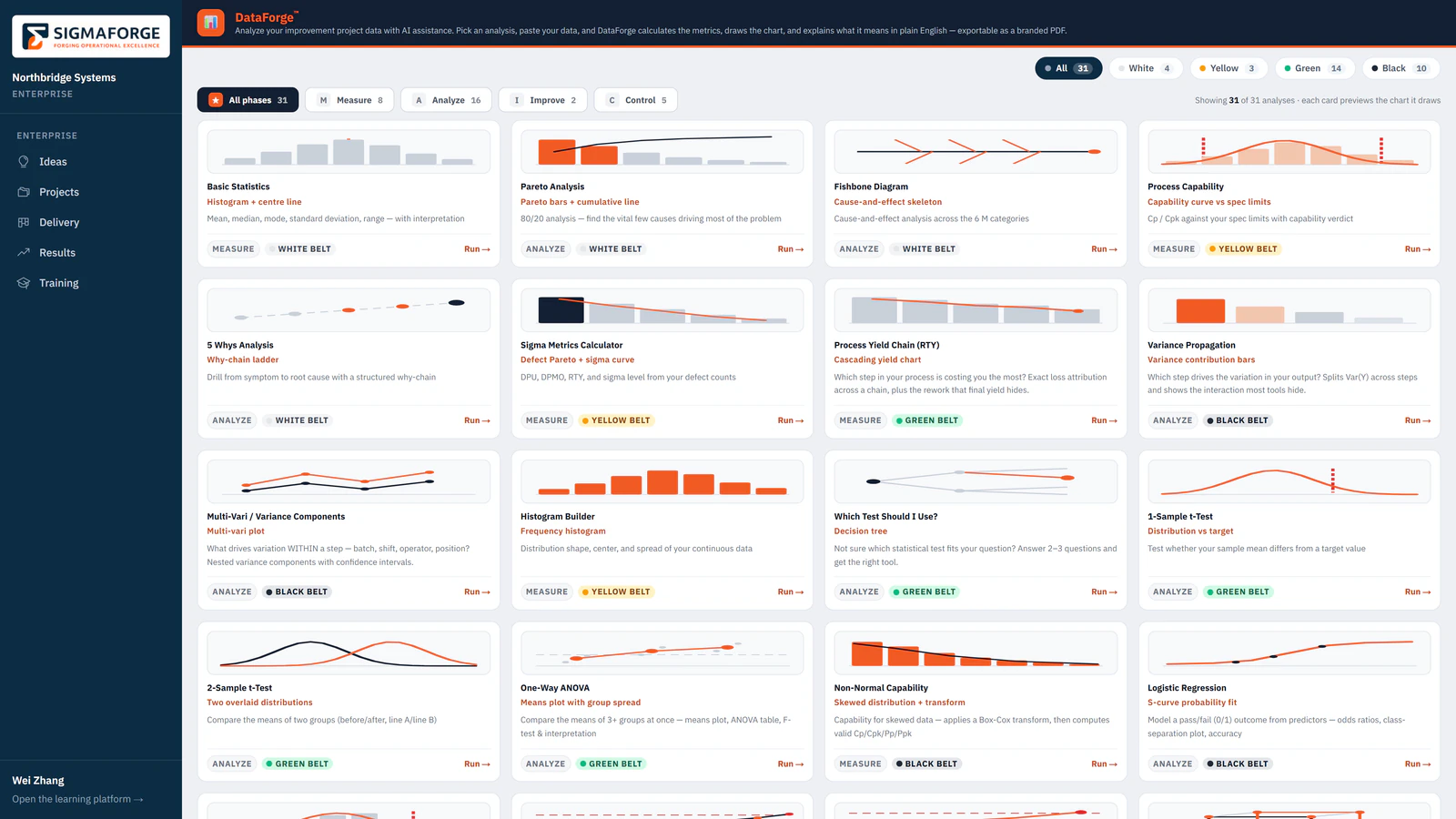
Product screen, demo data The DataForge analysis library: every analysis as a card with a preview of its chart, its DMAIC phase and its belt level, filterable by phase and belt.
- sigmaforge.ai/dataforge
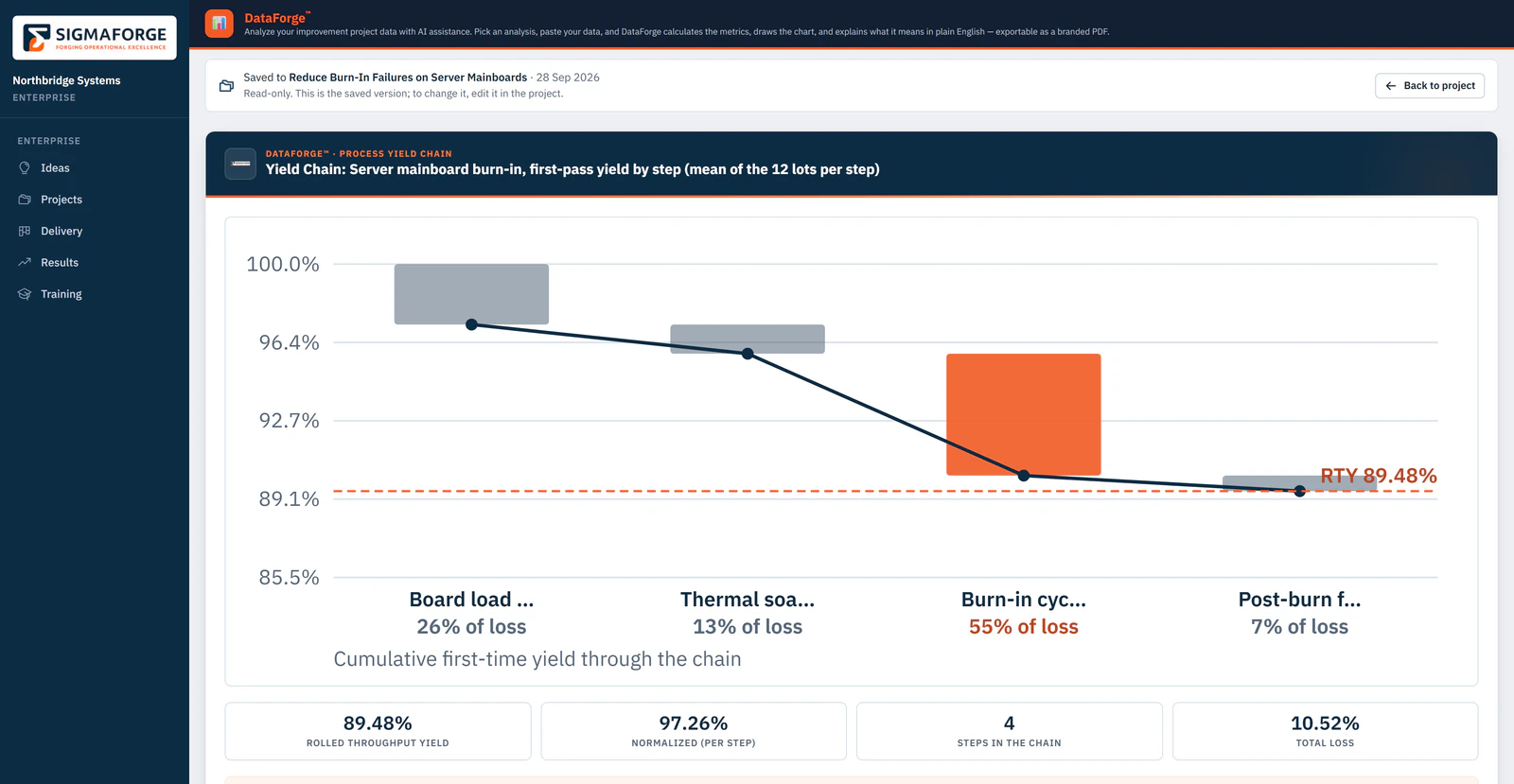
Product screen, demo data A saved DataForge yield chain inside an enterprise project: the cascading yield chart, rolled throughput yield, normalized yield, steps and total loss, and the biggest single loss.


All thirteen
The other 12
- Agent 02DocuForgeFrom a short brief to a finished document
- Agent 03ProjectSenseiA coach for every phase
- Agent 04ImpactMatrixPut a number on it
- Agent 05SigmaTutorAsk the course anything
- Agent 06PathForgeYour next step, worked out for you
- Agent 07CertiAIPractice before it counts
- Agent 08FocusBotKeeps you moving
- Agent 09InsightStreamYour learning, on a control chart
- Agent 11SigmaHubFinds the passage the answer comes from
- Agent 10TeachPilotReports on a whole cohort
- Agent 12ClarityAISays it again in plain language
- Agent 13CollabForgeWrites the retrospective from what happened
DataForge on your work
See DataForge on one of your own processes
Thirty minutes, one of your processes, and whichever agents the work calls for. You leave with what they produced.